
There is a new solution for the Windows Live Messenger error code 8004820. If you get this error, maybe the only problem is that your system clock has the wrong date set.
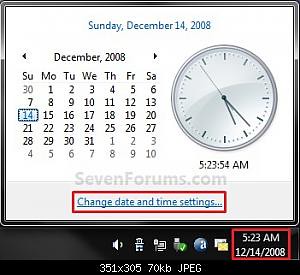
- Thus, check your clock in the bottom-right corner of your task bar. How?
- Click the time display.
- In the opening window, click Change date and time settings to change the settings.
Mil gracias!!!