
When Facebook introduced usernames in June 2009, users were happy and many went straight to the selection page. However, it might seem that not all decisions were made wisely.
Honestly: Do you regret which username you chose? You get a second chance. Here is how:
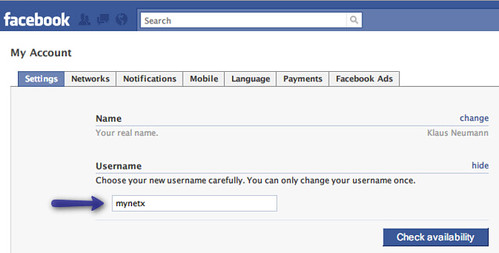
How-to: Change your username in Facebook
- Head over to your Facebook Account area.
- In the Username section, click the Change link.
- Enter your corrected username choice, and click Check availability.
- Remember! You can only change your username ONCE.
- Finally, click Change.
<a href=”http://www.flickr.com/photos/mynetx/4351469276/” title=”Facebook: Change your username, once by mynetx, on Flickr”><img src=”http://farm5.static.flickr.com/4006/4351469276_032d242827.jpg” width=”500″ height=”253″ alt=”Facebook: Change your username, once” /></a>
tengo problemas com el messenger me dar error…………..